
The Best Google Photos Alternatives for Privacy Enthusiasts

Published on December 23, 2025
Google Photos is convenient free storage (up to 15GB), automatic phone backup, and useful search. But convenience hides a trade-off: once images leave your device you often lose control and privacy.
Your photos aren't really private anymore.
Google scans your images for faces, objects, and locations. The platform uses this data to improve its AI systems and serve you ads. You agreed to it when you clicked through those terms of service, though most of us never actually read them. And here's the thing: those terms can change anytime Google wants.
But the privacy concerns go deeper than that. In October 2022, Texas Attorney General Ken Paxton sued Google for collecting biometric data from millions of Texans without proper consent. The lawsuit revealed that Google Photos, Google Assistant, and Google Nest were capturing face and voice data, possibly since 2015. When state governments are taking legal action against a platform, it's time to ask: is this really where I want my family photos stored?
You need an option that enforces privacy by design, not just words in a policy. Paranoid Photos is built exactly for that: a private photo cloud with zero-knowledge, end-to-end encryption so your images are encrypted before they leave your device and only you hold the keys. The platform can't access your images, can't scan them for AI training, and can't hand them over even if ordered to. Your encryption keys stay on your device, never stored on Paranoid Photos servers.
Read on to compare features and test Paranoid Photos yourself with a free 10 GB account. We'll also cover other options like self-hosted solutions and cloud alternatives, plus a detailed comparison table. Whether you're looking to escape Google's ecosystem or just want better control over your data, you'll find the right solution here.
Why You Need a More Secure Google Photos Alternative
Google Photos seems convenient at first. Auto backup from your phone, unlimited device sync, and search tools that can find photos by typing "beach" or "birthday cake." It's easy to see why over a billion people use it.
But convenience comes with tradeoffs most users don't think about until it's too late.
The Privacy Problems You're Not Seeing
Google's business model depends on data. The company makes money by analyzing what you do, what you search for, and yes, what's in your photos. When you upload images to Google Photos, the platform scans them for faces, objects, locations, and even text in the background. This isn't just for organizing your library. It feeds Google's AI systems and helps target ads across its network.
You might think, "I don't mind if it helps me find photos faster." Fair enough. But here's what people often miss: you don't control what happens to that data once Google has it. Terms of service can change overnight. Features you never asked for can suddenly appear, like auto-generated "memories" that resurface photos you'd rather keep private. And if there's a security breach, or a legal request, your photos are sitting there, unencrypted, ready to be accessed.
Real Legal Action: Texas Sues Google Over Biometric Data Collection
Texas' Capture or Use of Biometric Identifiers Act has protected residents for over twelve years. Google allegedly ignored it. The lawsuit also noted that even non-users' data may have been captured indirectly, putting even more people at risk than anyone realized.
Paxton stated that "Google's indiscriminate collection of the personal information of Texans, including very sensitive information like biometric identifiers, will not be tolerated." You can read the full statement here.
And Texas isn't alone in taking action. Arizona reached an $85 million settlement with Google over unauthorized location tracking in 2022. Indiana, Washington, and the District of Columbia also filed lawsuits against the company for similar privacy violations. When multiple state governments are pursuing legal action, it's a red flag about how the platform handles user data.
Three Ways Photo Storage Goes Wrong Without Encryption
So what's the actual risk if your photos aren't encrypted? Here are three scenarios that happen more often than you'd think:
- Quiet leaks from automated features. You create an album meant for close family. Then Google's algorithm decides to surface it in a "suggested highlights" feed or auto-generated slideshow. Someone takes a screenshot or shares it further than you intended. Once a private moment leaves your control, you can't take it back. Platforms without true encryption treat your photos as content to organize and recommend, not as private data to protect.
- Account breaches from reused passwords. You use the same password on another site. That site gets breached. Suddenly, your Google account is easy to guess. Without encryption protecting the actual photo files, a stolen password gives attackers full access to years of your images. They can download everything, and you won't know until it's too late. Strong encryption locks both the account and the data, so a password alone isn't enough to walk into your library.
- Platform rule changes you never agreed to. Terms of service shift without warning. A new checkbox appears about using your photos for "AI training" or "service improvements." Once those photos are on Google's servers, unencrypted, they can be used however the updated terms allow. You don't get a real choice at that point, just an "accept or leave" ultimatum.
You need photo storage that puts control back in your hands through encryption that actually works, where the platform itself can't access your photos.
That's exactly what Paranoid Photos does.
Paranoid Photos: The Best Encrypted Google Photos Alternative
If you're tired of wondering what happens to your photos once they leave your device, Paranoid Photos offers a clear answer: nothing. Nobody sees them except you.
This isn't just marketing talk. It's how the system actually works.
True Zero-Knowledge: Your Keys Never Leave Your Device
Here's what makes Paranoid Photos different from mainstream cloud photo services: your encryption keys stay on your devices. They're never sent to the servers, never stored in a database, and never accessible to the company.
When you upload a photo, it gets encrypted locally using your unique keys. The encrypted file goes to the cloud, but the key to unlock it stays with you. If you lose your keys, Paranoid Photos can't reset them or recover your photos. That's not a bug, it's the privacy you asked for.
Compare that to the basic plans on Google Photos, iCloud, or Dropbox. Those platforms can access your photos anytime because they hold the keys. They need to, for features like AI search and facial recognition. But it also means your photos are never truly private. Someone at the company could view them. A hacker who breaches the servers could access them. A government agency could request them.
With Paranoid Photos, none of that is possible. The encrypted files sitting on the servers are useless without your keys. Even if someone broke into the system, they'd find scrambled data they can't decrypt.
Privacy Without Compromise: What You Get
Paranoid Photos doesn't make you choose between privacy and usability. Here's what the platform includes:
- Full-resolution storage with fast previews. Upload photos straight from your phone, desktop, or camera cards. Paranoid Photos keeps your originals at full resolution and generates quick preview versions so you can browse without waiting for large files to load. Your library stays sharp, but navigation feels smooth.
- Albums and fast search designed for you. Create albums to group photos by trip, event, or project. Search works across your library, but it's not built on scanning your images for faces or objects. It's designed around your file names and folder structure, keeping things organized without invading your privacy.
- Cross-platform access on all your devices. Sign in once and access your encrypted library from iOS, Android, or the web app. Your photos sync across devices automatically, but they stay locked to your account. Nobody else can see them, even if they're using the same network or device later.
- No algorithmic feeds or surprise memories. You won't see auto-generated slideshows that pull up old photos you'd rather forget. Paranoid Photos doesn't try to guess what you want to see or when you want to see it. It's just a reliable place to store everything you've ever shot, organized your way.
Pricing That Makes Sense
Paranoid Photos starts FREE with 10 GB of storage, enough to test the platform and see if it fits your workflow. When you're ready for more space, you can upgrade to 200 GB for $6.99 per month. No annual commitment required, and you can cancel anytime from inside the web app.
If you cancel and come back later, your encrypted photos stay on the servers for up to three months while your account is inactive. After that, they're permanently deleted.
Compare that to Google's pricing: $1.99/month for 100 GB or $2.99/month for 200 GB. Paranoid Photos costs a bit more, but that price buys you a different model: no data harvesting, no training of models on your images, and no targeted monetization.
Who Should Use Paranoid Photos?
Paranoid Photos is perfect for:
- Privacy-conscious users who don't trust cloud platforms with unencrypted data
- Families protecting children's photos from being scanned or shared without consent
- Professionals with sensitive content who need guaranteed confidentiality
- Anyone leaving Google Photos and looking for a secure alternative that respects their data
Try Paranoid Photos free (10 GB). Visit app.paranoidphotos.com, sign up in under a minute, upload a few test photos, and see how encryption locks your library to you.
Other Google Photos Alternatives: A Brief Overview
Paranoid Photos isn't your only option when you're ready to leave Google Photos. Some people prefer running their own servers at home. Others want different cloud providers with their own feature sets. Here's what else is out there.
Self-Hosted Photo Apps
Running your own photo server means buying hardware and setting everything up yourself. You control the physical drives, pick the software, and decide who gets access. The flip side? You're fixing things when they break.
Immich closely mirrors the Google Photos experience. Timeline view, mobile apps for iOS and Android, facial recognition, and fast browsing are all there. It’s open source, actively developed, and popular with technically skilled users who like full control.
The appeal is obvious: storage costs are limited only by the hardware you buy. Load up hundreds of thousands of photos without paying a monthly subscription. But this is where the tradeoffs start.
Immich is a self-hosted system, not a managed privacy service. While data can be encrypted, the server you run controls the environment and the keys. If the system is misconfigured, exposed to the internet, or compromised at the OS or container level, your photo data can be accessed. Security depends entirely on how well you set up, harden, and maintain the server.
You’re also responsible for everything else: Docker configuration, storage management, backups, updates, firewall rules, and remote access. If something breaks, you fix it. If data is lost, it’s on you.
Immich is a great option for users who enjoy running servers and understand the risks. But it’s not a zero-knowledge cloud, and it doesn’t remove trust or responsibility from the user the way Paranoid Photos does.
PhotoPrism focuses on organization, tons of tagging options, quality ratings, detailed EXIF editing. Nextcloud Photos plugs into Nextcloud's whole ecosystem if you already use that for files and calendars. Both need technical setup and ongoing maintenance.
Self-hosted works great if you enjoy tinkering with servers. Not so much if you just want something that runs without thinking about it.
Online Cloud Photo Storage Options
Maybe you'd rather skip the hardware headaches. Other cloud providers exist beyond Google, though none encrypt your photos the way Paranoid Photos does.
iCloud Photos makes sense if you're already using iPhones and Macs everywhere. Sync happens automatically, the interface feels native, and editing tools are built in. Pricing starts at $0.99 monthly for 50 GB, which looks inexpensive at first glance.
The tradeoff is access and lock-in. iCloud Photos does not use client-side end-to-end encryption by default, which means Apple can technically access your photos. And outside the Apple ecosystem, iCloud quickly becomes frustrating or impractical to use.
Dropbox handles any file type, not just photos. You get 2 TB for $9.99 monthly, camera uploads from your phone work fine, and file recovery is solid if you delete something by accident.
But that flexibility comes at a cost. Dropbox does not encrypt files with keys you control. The platform can access anything you upload, and photo organization features are basic compared to dedicated photo services. It’s solid for backups, not for protecting personal memories.
Flickr used to run the photo-sharing world before Google took over. Still around, still useful. $6.08 monthly (annual payment) or $9.49 monthly gets you unlimited storage at full resolution. Good community features if you want feedback on your work.
Unlimited storage sounds amazing. But no RAW file support, so pros need somewhere else for originals. And just like the others, Flickr can view your photos because they're not encrypted. Privacy isn't the focus here.
The common thread across these services is simple: they’re easy to use, reasonably priced, and polished, but they all rely on a trust-based model. The provider holds the keys, which means the provider can access your photos. That’s the tradeoff Paranoid Photos was designed to eliminate.
Why Paranoid Photos Beats These Options
Self-hosted solutions give you control. Cloud alternatives offer different price points and features. None of them match Paranoid Photos on privacy.
Immich encrypts data, sure, but you're still running the server yourself. iCloud, Dropbox, Flickr? They can all see your photos because they hold the encryption keys.
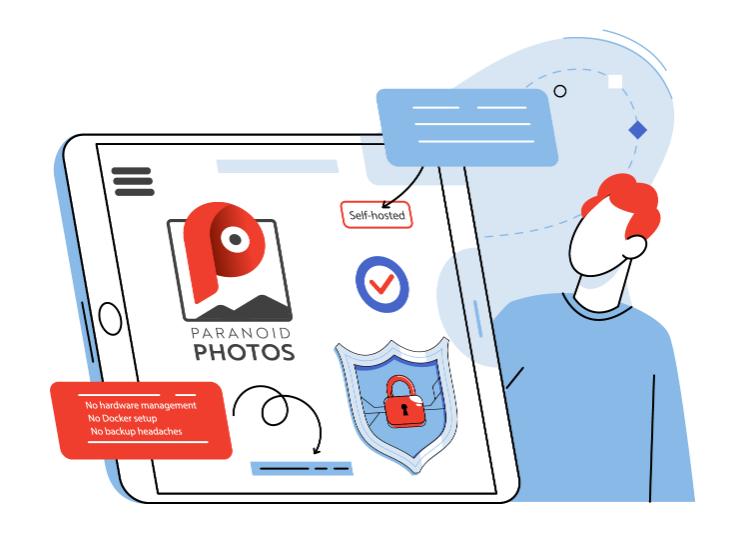
Paranoid Photos gives you cloud ease without handing over access. No hardware management, no Docker setup, no backup headaches. Sign in, upload photos, done. They're locked to you and nobody else.
Now let's compare everything side by side.
Google Photos Alternatives: Side-by-Side Comparison
You need to see how these platforms actually stack up. Here's everything that matters, encryption, storage, pricing, features, laid out so you can compare.
Feature Comparison Table
| Feature | Paranoid Photos | Google Photos | iCloud Photos | Immich (Self-Hosted) | Dropbox | Flickr |
|---|---|---|---|---|---|---|
| End-to-end encryption | Yes | No | No* | No (by default)** | No | No |
| Zero-knowledge architecture | Yes | No | No* | No (you control server access)** | No | No |
| Free storage | 10 GB | 15 GB (shared across Drive/Gmail/Photos) | 5 GB | Depends on your hardware (effectively limited by drives) | 2 GB | Limited free tier (restricted features) |
| Paid storage (example / typical tiers) | $6.99 / 200 GB | Google One: 100 GB, 200 GB, 2 TB, etc. | $0.99 / 50 GB (example tier) | No monthly fee — hardware + running costs (one-time + electricity) | Paid plans (various tiers) | $6.08/month (annual) or $9.49/month (monthly) – unlimited storage |
| Hardware cost | None (managed cloud) | None (managed cloud) | None (managed cloud) | $200–$500+ (server + drives) — varies | None (managed cloud) | None (managed cloud) |
| Mobile apps | iOS, Android | iOS, Android | iOS, Android | iOS, Android (clients + web) | iOS, Android | iOS, Android |
| Web access | Yes | Yes | Yes | Yes | Yes | Yes |
| AI / semantic search | No | Yes | Yes | Yes (if enabled on server) | Basic (no semantic image search) | No |
| Facial recognition / auto-grouping | No | Yes | Yes | Yes (optional, server side) | No | No |
| Platform cannot access photos (provider-side) | Yes | No | No* | Effectively yes if you self-host and secure the server properly** | No | No |
| Data used for AI training | Never | Possible / depends on TOS | Possible / depends on settings | No (unless you configure services to send data elsewhere) | Possible | Possible |
| Full resolution originals | Yes | Yes | Yes | Yes | Yes | Yes |
| Auto backup from phone | Yes | Yes | Yes | Yes (with client apps or upload tools) | Yes | Yes |
| Album organization | Yes (manual) | Yes (auto + manual) | Yes (auto + manual) | Yes | Yes | Yes |
| Setup complexity | Easy (managed) | Easy (managed) | Easy (managed) | High (server setup, maintenance) | Easy (managed) | Easy (managed) |
| Requires own hardware | No | No | No | Yes | No | No |
* iCloud caveat (default): iCloud Photos in its default configuration does not provide client-side end-to-end encryption for photos. Apple offers Advanced Data Protection which can extend E2E protections for some iCloud data when explicitly enabled by the user — treat the table’s “No” as the default unless that setting is turned on.
** Immich / self-hosted caveat: Immich is an open-source, self-hosted platform. Self-hosting gives you effective control (i.e., the provider does not have access) only if you run and secure the server yourself. Immich itself is not a managed consumer zero-knowledge cloud by default, achieving the “platform cannot access photos” guarantee requires proper server configuration, access controls, backups, and ongoing maintenance.
Who Picks What?
Based on what's in that table, here's who each platform actually fits:
Pick Paranoid Photos if:
- Privacy matters more than auto-features
- You want cloud ease without handing over keys
- Manual photo organization doesn't bother you
- You don't trust platforms that can see your data
Pick Immich if:
- You know how to run servers
- Unlimited storage without monthly costs sounds good
- You've got time and technical knowledge for maintenance
- You want AI features plus encryption
Pick Google Photos if:
- You trust Google with everything
- AI search and facial recognition are deal-breakers
- Polished experience beats privacy concerns
- You're fine with how they use your data
Pick iCloud Photos if:
- Apple ecosystem already owns your life
- Seamless sync across Apple devices matters most
- You're okay with Apple seeing your photos
- Cross-platform support doesn't matter
Pick Dropbox if:
- General file storage beats photo-specific features
- Simple backup is the goal, not photo management
- You'll pay more for bigger storage capacity
- Organization tools don't matter much
Most people reading this care about privacy. You don't want Google or Apple scanning photos. You want a platform working for you.
That's Paranoid Photos. Clean answer.
What Happens Without Encryption: Real-World Examples
Understanding why encryption matters is easier when you see what happens without it. Here are two scenarios that play out more often than most people realize, and how Paranoid Photos prevents both of them.
Scenario: Account Breaches from Reused Passwords
You use the same password for your photo storage account that you used on three other websites. One of those sites gets breached, maybe it's a forum, an online store, or a social media platform. The hackers dump millions of email and password combinations online.
Someone tries your email and password combination on popular services. Google Photos, iCloud, Dropbox, they test them all. Your password works on one of them. Now they're logged into your account.
Without encryption protecting the actual photo files, that's it. Game over. They can browse your entire library, download everything, and even delete photos if they want. You won't know until you log in and see the damage. By then, your photos are already out there, potentially sold or shared on forums you'll never find.
Even if you enable two-factor authentication later, the photos they already downloaded are gone forever. A password breach gave them the keys to your library, and the platform couldn't stop it because your photos weren't encrypted.
How Paranoid Photos prevents this: Even if someone guesses your account password, they can't access your photos. The encryption keys stay on your devices, not on the server. So a stolen password gets them into your account, but they still can't decrypt the photo files. All they see is scrambled data. Without your device and your encryption keys, your library stays locked.
This is why zero-knowledge architecture matters. The account login and the photo encryption are two separate layers. You need both to access the library. A password alone isn't enough.
Why This Scenario Keeps Happening

This is not an edge case. It happens regularly across cloud platforms that don't use encryption. Account breaches, policy changes, and automated sharing features are all part of how modern photo services work.
The platforms aren't necessarily trying to harm you. They're trying to offer convenient features that most users enjoy. But convenience and privacy are often at odds. AI search requires scanning your photos. Smart albums require analyzing content. Social features require exposing data to algorithms.
Paranoid Photos takes the opposite approach. Privacy isn't a feature you toggle on, it's the foundation of how the platform works. You give up some convenience, but you gain something more valuable: control over your data.
That's the choice. Platforms that can access your photos will always have these risks. Platforms that can't access your photos won't. It's that simple.
Choose Paranoid Photos for True Privacy and Security
Your photos tell the story of your life. Family moments, personal milestones, memories you'll want to revisit years from now. They deserve better than sitting on a server where they can be scanned, analyzed, or accessed without your permission.
Google Photos made cloud storage convenient, but convenience came with hidden costs. Your photos get analyzed for AI training. Biometric data gets collected without clear consent. Terms of service change whenever the platform decides. And when state governments file lawsuits over privacy violations, it's clear the system isn't working the way it should.

You need a platform built differently from the ground up. One where privacy isn't a checkbox in settings, it's the entire point.
No other cloud platform offers that guarantee. Google Photos, iCloud, and Dropbox all have the technical ability to view your images because they hold the encryption keys. Self-hosted options like Immich give you control, but you're managing servers and backups yourself. Paranoid Photos is the only solution that combines cloud convenience with true zero-knowledge privacy.
Ready to Take Control?
Paranoid Photos starts free with 10 GB of storage, enough to test the platform and see how zero-knowledge encryption works in practice. When you're ready for more space, upgrade to 200 GB for $6.99 per month. No long-term commitment, no surprise charges. Cancel anytime from inside the web app.
You can start today at app.paranoid.com. Sign up takes less than a minute. Upload a few test photos and see how the encryption works. Browse your library on your phone, your desktop, and the web. You'll see exactly what true privacy feels like, and why it's worth protecting.
Your memories deserve a platform that puts you first. Not advertisers, not AI training models, not vague promises in a privacy policy. Just you, your photos, and encryption that actually works.
That's Paranoid Photos. That's the best Google Photos alternative available today.
FAQ
What are the best alternatives to Google Photos?
Options include self-hosted apps, cloud storage providers, and privacy-focused services. Most offer similar convenience but still rely on provider-controlled access. The key difference is whether your photos are truly private or just stored elsewhere.
Is Google Photos private?
Not fully. Photos are scanned to enable search features like faces, objects, and locations. This means the platform analyzes your content rather than storing it as private data.
What is the biggest disadvantage of Google Photos?
Lack of control. Your photos are stored in a system where access, policies, and data usage are defined by the provider. Over time, this creates dependency and potential exposure.
Is there a better gallery app than Google Photos?
“Better” depends on priorities. Some apps focus on AI features and automation, while others focus on control and simplicity. You need to choose between convenience and privacy.
Will Google delete my photos if I don’t pay?
If you exceed free storage limits, uploads stop and services may be restricted. After extended inactivity or unresolved limits, data can eventually be removed. You are responsible for managing storage usage.