
Is Google Photos safe for family photos? What every parent should know

Published on May 14, 2026
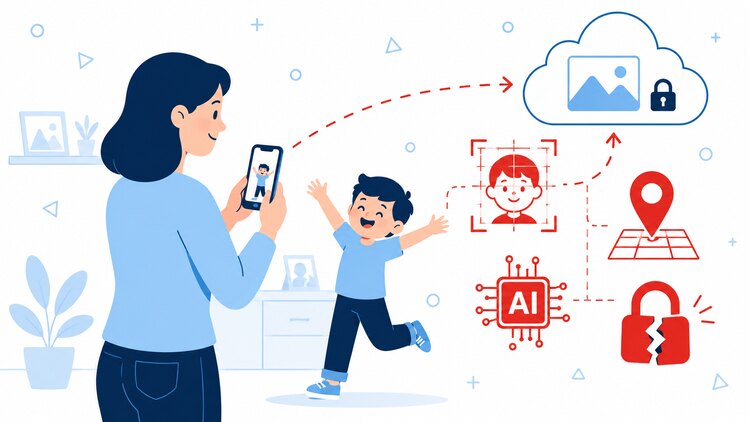
Every single file on Google Photos has been scanned by Google's AI. That includes your child's first steps, birthday parties, school plays, and the precious moments you may have thought you were simply keeping safe.
Google Photos looks like the perfect place to protect your family's memories: automatic backup, easy organisation, simple sharing with grandparents. What most parents don't realise is what happens to those photos the moment they leave your phone.
And Google doesn't just store your family photos. It reads them, analyses them, maps your children's faces, logs your home address from location data, and feeds it all into AI systems you never agreed to and cannot switch off.
For example: in 2021, a father in San Francisco photographed his son's injuries to share with a doctor. Google's automated systems flagged the images, reported him to the police, and permanently deleted his entire account. Every family photo, every email, every purchase. Law enforcement cleared him completely. Google still refused to restore his account. Source: New York Times
He didn't do anything wrong. His photos were just on Google's servers when their AI decided to act.
That's the risk no one talks about when they recommend Google Photos.
In this article we'll cover exactly what Google Photos does with your family's photos, why the risks are bigger than most parents know, and what genuinely secure storage looks like.
Google Photos is encrypted, but that encryption doesn't protect your photos from Google itself.
In this article:
- Google is watching your family photos
- Sharing your kids' photos: less control than you think
- What Google can do, and has already done, to your family's photos
- What genuinely secure photo storage looks like
- How to choose a secure photo storage service
- Keep your family photos secure
- Frequently asked questions
Google is watching your family photos
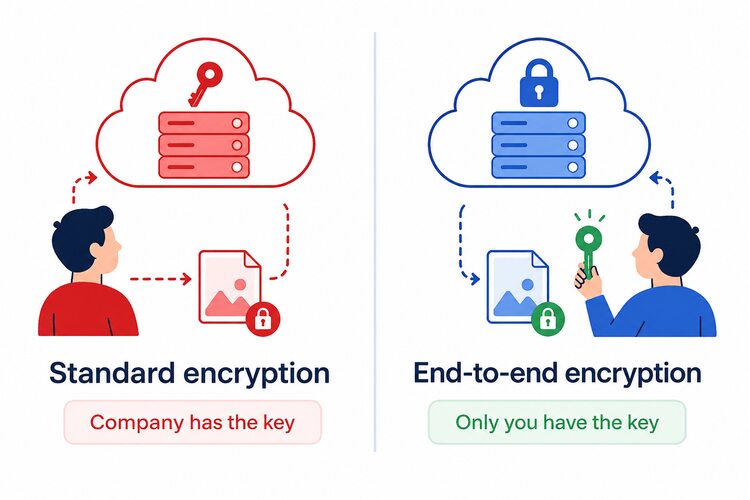
Google is the real risk, not outside hackers. Your photos are shielded from strangers, but completely exposed to Google itself.
Most cloud storage uses standard encryption, which protects your files from outside attackers but not from the company holding them. It's nothing like end-to-end encryption technology, where only you hold the key, and the company can't open your files even if it wanted to. With Google Photos, Google holds the key. That means every photo you upload is readable by Google at any time.
Sharing your kids' photos: less control than you think
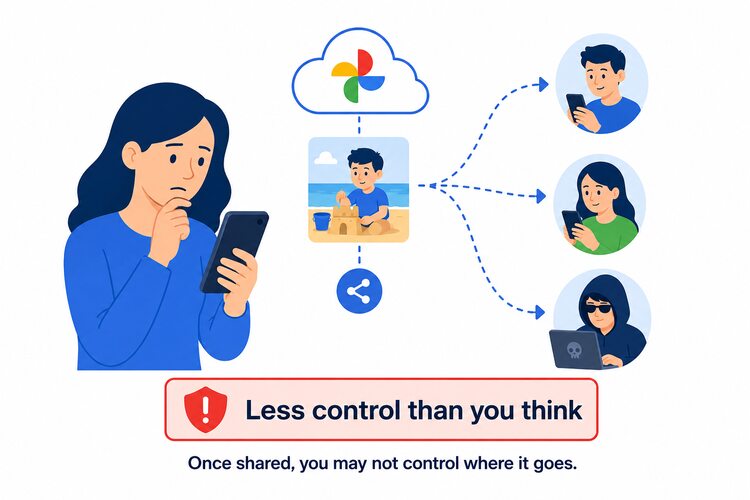
This is where it goes beyond a technicality and becomes something every parent should understand.
In 2022, Google settled a class-action lawsuit in Illinois for $100 million after collecting and storing biometric face data from users' photos without proper consent. The feature remains active today.
Gemini, Google's AI assistant, now built directly into Google Photos, can search your entire photo history using plain language: "show me all photos of Emma at the beach." To do that, Gemini processes every photo in your library. Google's privacy policy does not say where that processed data goes, how long it's kept, or whether it's used to train future AI models. For parents, that means photos of your children may pass through AI systems with no clear privacy boundary and no way to stop it.
What Google can do, and has already done, to your family's photos
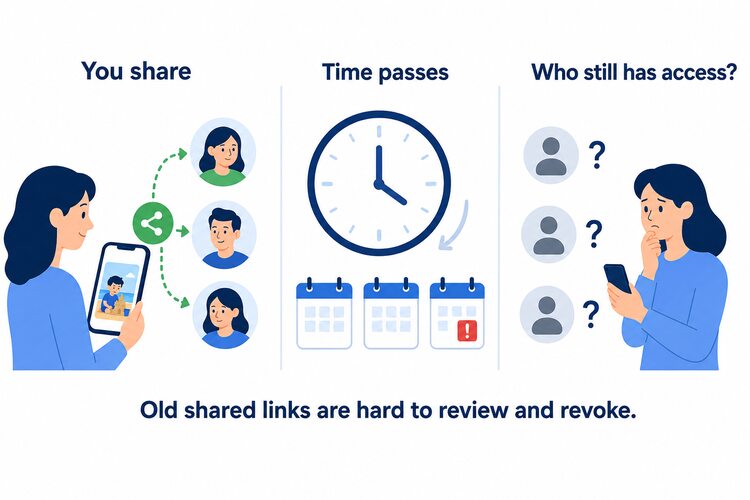
Most parents share photos constantly: grandparents, family group chats, the class WhatsApp, the school newsletter. Google Photos makes sharing easy. What it doesn't make easy is knowing who still has access months or years later.
There is no central dashboard showing every link you've ever shared. To revoke access to a photo you shared two years ago, you have to find the original album, open it, dig through the sharing settings, and manually remove each person. Most parents never do this and most don't know it's necessary. That means someone you shared photos with years ago may still have access to photos of your children right now, with no alert from Google and no easy way for you to find out.
For instance: a mother lost a decade of family photos, wedding pictures, and tax documents after her child uploaded a flagged video. Google didn't respond to her appeals for months. Her account was only restored after journalists covered the story. Source: MIT Technology Review
This is what happens when one company holds exclusive control over your family's photo collection and answers to no one.
Those photos aren't data. They're the first birthday, the last holiday with someone who's gone, the ordinary Tuesday that turned out to matter. It takes a lifetime to build up to those special moments, and you cannot get them back. On the difficult days, when you feel exhausted and as if you're spinning your wheels, those pictures are what remind you what's actually valuable and what you're doing all of this for. When they disappear, there is no appeals process that brings them back.
What genuinely secure photo storage looks like
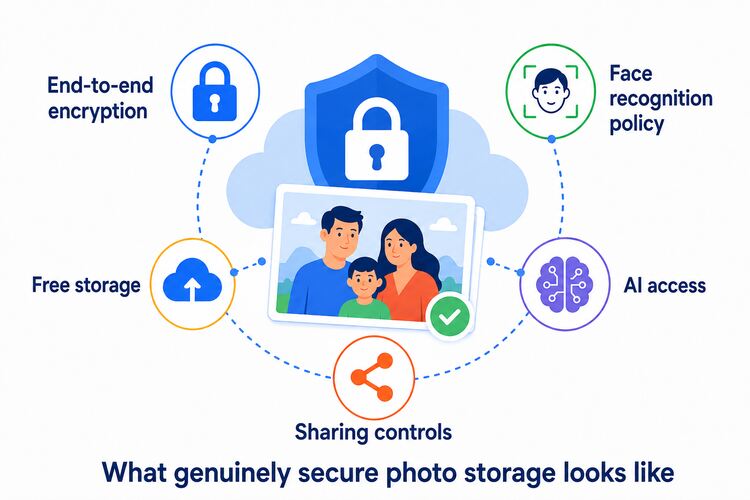
Before trusting any service with your family's photos, check these five things:
Encryption type. Standard encryption keeps your photos hidden from hackers but not from the company holding them. End-to-end encryption means even the company itself can't read your files. This is the only form of encryption that keeps your photos truly confidential.
Face recognition. Does the service scan and store facial data from your photos? This is biometric data about your children. You should know whether a company collects it and where that data is processed before uploading a single image.
AI access. Does the service use your photos to train its AI models? Is there an opt-out? If the privacy policy is vague on this point, assume the answer is yes.
Sharing controls. Can you see all your shared links in one place? Can you revoke access, set expiry dates, or password-protect a link? These controls matter when the photos you're sharing are of your children.
Free storage. How much space do you get before paying?
Keep your family photos secure
| Google Photos | Paranoid Photos | |
|---|---|---|
| End-to-end encrypted | No | Yes |
| Free storage | 15 GB | 8 GB |
| Face recognition | Yes — server-side | On-device only |
| AI scans your photos | Yes — server-side | On-device only |
| AI training opt-out | No | N/A — no server access |
| Sharing controls | Limited | Full |
| Photos viewable by the company | Yes | No |
Paranoid Photos was built around one idea: your family photos are readable only by you and anyone you choose to share them with.
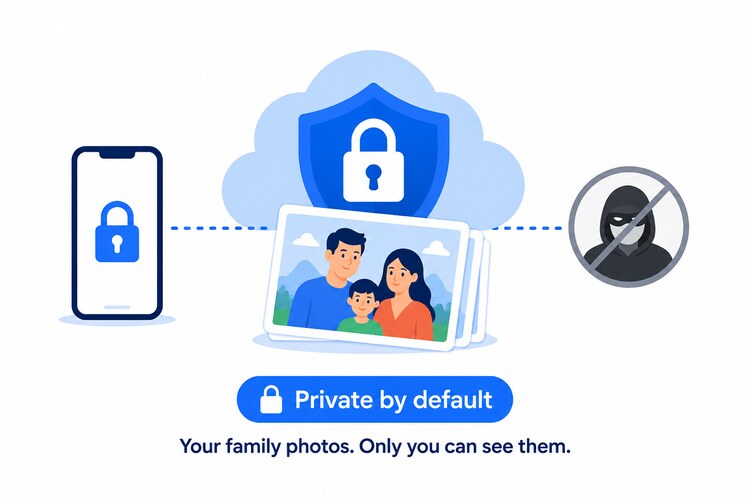
We can't get access to your photos. Not because we choose not to look. Because the architecture makes it impossible. Your photos are encrypted on your device before they ever reach our servers. We receive data we can't read. That's zero-knowledge storage.
That's Paranoid Photos. Sharing you can actually control. See every shared link in one place. Set expiry dates. Add password protection to individual photos or entire albums. Revoke access instantly. Know exactly who can see your photos right now, not just when you first shared them.
8 GB free. No credit card required.
Your family's photos deserve better than a free service that pays for itself by knowing everything about your children.
Frequently asked questions
Is Google Photos safe?
Google Photos is safe from outside hackers. Your photos are encrypted and cannot be accessed by strangers. However, Google itself can access all your photos at any time because Google Photos does not use end-to-end encryption. Google also scans every photo using AI and does not offer a clear opt-out from AI model training.
Is Google Photos safe for family photos?
For keeping photos away from hackers, yes. For keeping them confidential from Google, no. Google's systems scan every photo you upload, including photos of your children, to identify faces, locations, and activities. If you want your family photos to stay genuinely private, Google Photos is not the right place to store them.
Does Google Photos use face recognition on children?
Yes. Google Photos uses face recognition to group photos by person, including children. In 2022, Google settled a lawsuit for $100 million in Illinois for collecting biometric face data without proper consent. The feature is still active. You can turn off face grouping in settings, but this does not remove the facial data Google has already collected and stored.
Can Google delete my family photos?
Yes. Google can and does permanently delete accounts when its automated systems flag content as a policy violation. There is no reliable appeals process. Parents have lost entire photo collections, including years of irreplaceable memories, with no way to get them back. Keeping your only copy of family photos on Google Photos is a real risk.
What are the most secure alternatives for digital photo storage?
The most secure services use end-to-end encryption, meaning the company storing your photos cannot read them. Paranoid Photos uses zero-knowledge architecture so your photos are encrypted before they leave your device. No one at Paranoid Photos can access your files. You get 8 GB free with no credit card required.
Which cloud photo service offers the best privacy features for parents?
The key feature to look for is end-to-end encryption combined with full sharing controls. Paranoid Photos offers both: zero-knowledge encrypted storage and the ability to set expiry dates and passwords on every shared link. Google Photos offers neither of these protections by default.