
How To Choose The Right Cloud Storage Alternatives For Your Photos
Key Takeaways
- Most photo storage concerns develop gradually as libraries grow and become more personal
- Control, privacy, and predictable access matter more than raw convenience over time
- The goal is often not to replace cloud storage, but to choose the right model early
- Paranoid Photos addresses these concerns by design, not as an afterthought
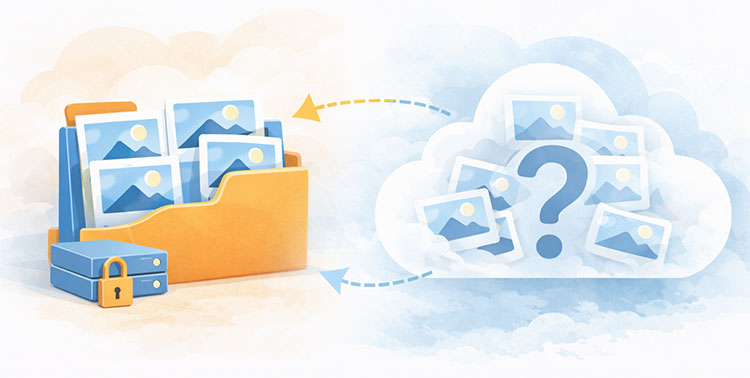
If you’re searching for cloud storage alternatives for photos, it’s likely not because the cloud failed you, but because you no longer feel in control.
Your access to your photo storage depends on an account, ongoing payment, and compliance with terms that can change over time. In most cases, the provider technically retains the ability to access or process stored photos because encryption is not fully controlled by the user.
Platforms like Google Photos, iCloud, and Dropbox vary in how they handle encryption. Some do not use true end-to-end encryption for standard photo storage, meaning the service can technically access the content. Others encrypt files but retain control of encryption keys, which allows access for indexing, feature processing, or legal compliance. In 2021, Google ended its unlimited free photo storage policy, pushing millions of users toward paid Google One plans once their storage filled up (Source: https://blog.google/products/photos/storage-changes/).
The best cloud storage alternative is a privacy-first service that encrypts your photos before they leave your device, so only you can view them. This guide compares privacy-first cloud storage (Paranoid Photos), self-hosted setups, and local storage so you can choose a secure option that fits your needs.
Why Photo Storage Needs Differ From General Cloud Storage
At first glance, photos may seem similar to other files. They can be uploaded, downloaded, and stored like anything else. In practice, photo libraries behave very differently once they grow beyond a small collection. This difference is often overlooked until users start feeling that their storage setup no longer fits how they actually use their photos.
The most obvious difference is growth. Photo libraries expand continuously. New photos are added automatically, often in high resolution, and rarely removed. Unlike work files, photos are not versioned, archived, or deleted on a schedule. Storage solutions that work well for documents can feel restrictive or expensive when applied to a library that only grows over time.
Organization is another major factor. General cloud storage relies on folders and filenames. Photos are rarely remembered that way. People look for images by moment, time period, place, or visual memory. When photo storage does not support visual browsing or chronological flow, finding specific photos becomes frustrating, even if the files are technically stored correctly.
Metadata plays a critical role. Photos contain information such as capture date, location, and camera details. This data gives structure to large libraries. When metadata is ignored, altered, or lost during uploads or transfers, photos lose context. Over time, this turns a library into an unstructured archive rather than a usable memory collection.
Access patterns are also different. Documents are usually opened with intent and then closed. Photos are browsed, revisited, shared, and scrolled through repeatedly. Smooth previews, fast loading, and reliable navigation matter more than raw file access. Storage systems optimized for productivity do not always perform well for visual exploration.
Finally, emotional value changes expectations. Photos often represent personal moments, family history, or irreplaceable memories. The tolerance for loss, confusion, or uncertainty is much lower than with generic files. This is why many users eventually look for secure storage and backup solutions designed specifically for photos, rather than adapting tools built for documents or collaboration.
Once people recognize that photos behave differently from general files, they naturally start comparing storage setups designed specifically for long-term photo libraries rather than adapting generic cloud tools.
Cloud Storage Alternative for Photos: What to Look For in a Secure Cloud Service
Cloud photo storage is popular because it delivers what most people want day to day: fast syncing, simple sharing, and access from anywhere. For a long time, it feels effortless. Photos upload in the background, albums stay organized, and you rarely need to think about the system behind it.
Over time, priorities can evolve. As photo libraries become more personal, people tend to care less about basic convenience and more about long-term confidence: clear ownership, predictable access, and a better understanding of how images are handled. It is not that cloud storage stops working. It is that the stakes feel higher when the library holds family history and irreplaceable moments.
That is why many users start paying attention to a few specific factors. They want visibility into what happens to their photos after upload, including whether dates, locations, and album info stay intact, and how organization features work. They also want reliability that goes beyond “it usually works,” meaning they can access and restore their library even when devices change, apps update, or accounts need verification.
Privacy expectations often rise in the same way. People are not necessarily trying to hide their photos. They simply want stronger boundaries around who can view them, process them, or use them for secondary purposes.
At this stage, most users are not replacing cloud storage. They are upgrading the model. That can mean adding a separate backup, using a self-hosted library for primary organization, or choosing a privacy-focused cloud option like Paranoid Photos that keeps the convenience of online access while strengthening ownership and privacy by design.
| Why People Start Searching | The Real Problem | The Better Solution |
|---|---|---|
| Privacy concerns |
Often it’s the wrong cloud service.
Weak security · Limited control · Unclear policies |
Strong security |
| Loss of control | Full data control | |
| Access & trust issues | Reliable access | |
| Peace of mind |
Cloud Storage for Photos: The Main Options Compared
Cloud Storage Alternative for Photos: What to Look For in a Secure Cloud Service
Cloud photo storage usually starts out feeling effortless. Photos sync quickly, sharing is simple, and everything “just works” for years.
Then the friction builds. Storage fills up and pricing becomes less predictable. Organization and indexing feel opaque, so it is harder to trust what the platform is doing with metadata and visibility. Reliability starts to feel conditional because access depends on accounts, connectivity, and error-free syncing. And as libraries become more personal, privacy expectations rise.
At this stage, most people are not trying to leave the cloud. They are trying to regain control. That often leads to a more predictable setup: local backups, self-hosted tools, or a privacy-first cloud option like Paranoid Photos that keeps convenience without sacrificing ownership.
| Privacy-First Cloud Photo Storage | Local Storage Plus Backups | Self-Hosted Photo Platform | Hybrid Storage |
|---|---|---|---|
| Simple access, sharing, and syncing | Full hands-on control | Maximum ownership | Mixes control with convenience |
| Built for privacy and photo security | No dependency on cloud provider | Keeps storage fully private | Cloud as secure online copy |
| Good for | Considerations | Considerations | Considerations |
| Paid subscription needed | Backup to disk consistently | Technical setup required | Must define storage rules |
| Still choose a cloud provider | Must verify recovery works | Must manage updates and uptime | Still maintain local copy and cloud account |
| Option type | What it’s good for | What to watch for | Where Paranoid Photos fits |
|---|---|---|---|
| Privacy-first cloud photo storage | Simple access, sharing, and easy syncing across devices | Ongoing subscription, you still choose a provider | Strong fit if you want a photo-focused cloud with privacy-first handling |
| Local storage plus backups | Full hands-on control, can store files offline | You must do regular backups to an external disk and verify recovery | Can be paired with Paranoid Photos as an extra protected copy |
| Self-hosted photo platform | Maximum ownership, can feel like it doesn’t send data to the cloud | Setup and upkeep, updates, remote access complexity | Often used as primary, with Paranoid Photos as an optional encrypted backup layer |
| Hybrid storage | Balances control and convenience, can be fast to sync and dead reliable if designed well | Requires a clear rule for what is primary vs backup | Works well when Paranoid Photos is the private online copy for access and redundancy |
Cloud vs Local Storage for Photos: Key Tradeoffs
At a surface level, cloud storage and local storage are both ways to keep photos safe. In practice, the experience is very different once collections become large, valuable, and long-term. The differences usually show up not on day one, but months or years later, when access, reliability, and peace of mind start to matter more.
One of the first differences people notice is access. Cloud photo storage is designed to provide easy syncing across devices and remote access without thinking about where files are stored. Local storage depends on the device or hardware being available at the moment you need a photo. For some users, that limitation is acceptable. For others, especially those who travel or switch devices often, it becomes inconvenient over time.
Control is another area where expectations change. With local storage, photos stay exactly where they are placed. Nothing is uploaded automatically, and nothing is processed unless the user chooses to do so. Cloud storage introduces a layer of abstraction. Files live on remote infrastructure, and users rely on the service to keep everything accessible and intact. Many people are comfortable with this, while others gradually start asking who ultimately controls access to their library.
Reliability works differently in each model. Local storage can feel solid day to day, but it depends heavily on regular backups to an external disk or other secondary copies. Without that, a single hardware failure can erase years of photos. Cloud storage reduces that specific risk by keeping multiple copies online, but it replaces it with dependency on account availability, connection stability, and long-term service continuity.
Cost also behaves differently over time. Local storage usually involves a one-time purchase, followed by occasional upgrades. Cloud photo storage spreads cost across ongoing subscriptions. Neither approach is automatically cheaper. What matters is how long the library is kept and how predictable the pricing remains as storage needs grow.
Privacy expectations often become the deciding factor. Local storage keeps photo data isolated by default. Cloud services vary in how photos are handled after upload. Some users are comfortable with this trade-off, while others look for solutions that provide secure storage and backup without unnecessary processing. This is where photo-focused, privacy-first platforms such as Paranoid Photos become relevant, offering cloud convenience while keeping boundaries around data handling clear.
At this stage, the choice is usually not between “cloud” and “not cloud.” It is between what you want to protect most: convenience, ownership, privacy boundaries, or long-term simplicity.
If you want your full library available anywhere, without managing hardware, you will naturally stay close to an online model. That does not mean mainstream cloud is the only option. It simply means offline-only storage can start to feel limiting the moment you change devices, travel, or need access from more than one place.
If your goal is to keep online access but feel clearer about privacy, the difference comes down to boundaries. Some people are comfortable with standard cloud handling because the convenience is worth it. Others want stronger separation, where photos are protected before they ever leave the device, and the provider cannot view the content. That is exactly the space where privacy-first cloud storage fits, and it is the reason services like Paranoid Photos exist: to keep the convenience of online access while putting privacy and ownership first.
If you care most about ownership and full control, you may lean toward local storage or a self-hosted platform. That path can work extremely well, but it comes with responsibility. Updates, backups, and remote access do not happen automatically. You are trading service simplicity for direct control.
And if you want something stable you can rely on for years, many people end up with a layered setup. One place serves as the primary library, and another serves as a second copy for redundancy. In that kind of approach, Paranoid Photos can work as the private online copy for access and backup, while a local drive or self-hosted library handles day-to-day organization.
Once you know which direction you lean, the rest of the decision becomes easier, because you are no longer comparing every option. You are choosing the model that matches how you actually want to live with your photo library.
Types of Cloud Storage Alternatives for Photos (Cloud, Local, and Hybrid Options)
In practice, cloud storage alternatives for photos do not always mean abandoning the cloud, but choosing different storage models that better match privacy, control, and long-term access needs.
Finding the right cloud storage alternative usually starts with a few recurring thoughts.
Organization tools matter. Security and reliability are top concerns. People want secure storage and backup, while still being able to access files across devices without friction.
Instead of looking for one perfect replacement, most people compare a small set of practical setups and weigh tradeoffs that matter to them personally.
| Finding the right alternative | Organization tools matter | Security and reliability are top concern |
|---|---|---|
| Complement a cloud service with self-hosted options | Complete security and privacy | Doesn’t send data for processing |
| Build a diy server | Active community and reputation | Learning curve but flexible |
| Encrypted and backed up online | Easy syncing across devices | Important to maintain an off-site copy |
| Regular backups to an external disk | Maintain multiple copies | Recover files if accidentally deleted |
| Store files offline | Storage is at a premium | One time payment and no yearly license |
| Cloud storage image organization tools | Image-organization features are relatively basic | Other apps blow them out of the water |
| Access entire image library | Access database from any device | Fast to sync and dead reliable |
| Transfer data and reorganize files | Keep photos organized | Straightforward but effective organization |
| Create folders and add tags | Import add metadata browse view and search | Enter free-text descriptions |
| External drives kept disconnected from the internet | Maintain multiple copies | Important to maintain an off-site copy |
Over time, patterns become clear. People are not rejecting cloud storage itself. They are trying to reduce uncertainty. They want predictable access, secure storage and backup, and confidence that their photos are not being analyzed or handled in ways they did not choose.
This is the point where choosing the right type of storage matters more than continuing to compare alternatives.
How to Decide if Your Photo Storage Is Good Enough
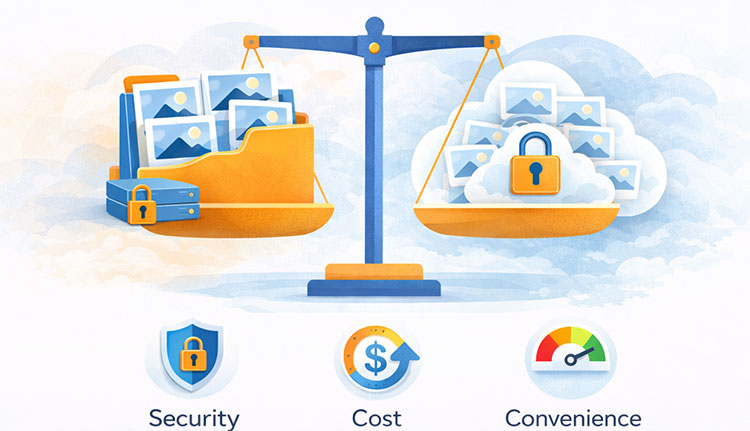
This section explains what matters most when people compare cloud storage alternatives for photos.
For many users, security and reliability are top concerns. They look for secure storage and backup and want to recover files if accidentally deleted. It is important to maintain an off-site copy and to maintain multiple copies to reduce risk. Many users rely on regular backups to an external disk and prefer to store files offline as part of a long-term strategy.
Access is equally important. People want to access files across devices and access databases from any device without complexity. The ability to access the entire image library at any time is often expected, especially as photo collections grow.
Organization also influences decisions. Organization tools matter because users want to keep photos organized and avoid chaos as libraries expand. Easy navigation and clear structure help people stay confident about where their files are stored.
Cost awareness plays a role over time. Many users want to avoid ongoing subscription costs and prefer predictable pricing models. Some are willing to pay annually for storage, but only when value and control feel balanced.
Sharing and convenience remain relevant, but secondary. Users appreciate easy syncing across devices and the ability to easily share albums, as long as these features do not reduce control or reliability.
The Practical Answer: Security, Control, and Long-Term Access
If you’re searching for cloud storage alternatives for photos, it’s likely not because the cloud failed you, but because you no longer feel in control.
The best cloud storage alternative is a privacy-first service that encrypts your photos before they leave your device, so only you can view them.
That is where Paranoid Photos fits naturally.
· It keeps photos private by design
· It keeps ownership clear
· It keeps access from depending on opaque analysis or secondary use of content
So you still get cloud convenience, but without the trade-offs that drive people to switch: uncertain control, unclear handling, and changing terms.
For users who want security, control, and long-term access, Paranoid Photos is the most practical option because it aligns with how people actually feel about their photo libraries once they become personal.
FAQ
Is cloud photo storage inherently insecure?
No. Cloud photo storage can be secure, but security depends on encryption design and access control, not on the cloud itself.
Can cloud photo storage be private by design?
Yes. When photos are encrypted before storage and the provider cannot access the content, cloud photo storage can meet high privacy standards.
Why are photos treated differently from other files?
Photos often contain biometric, location, and personal data, making exposure or misuse more sensitive and harder to reverse.
Is encryption alone enough to protect photos?
Encryption is essential, but it must be applied before upload and combined with strict access controls to be effective.
Where I can safely keep my photos?
Paranoid Photos is a privacy-first encrypted cloud storage option that protects your photos before they leave your device. That means only you can view them, not the provider.